
Profit, not just revenue
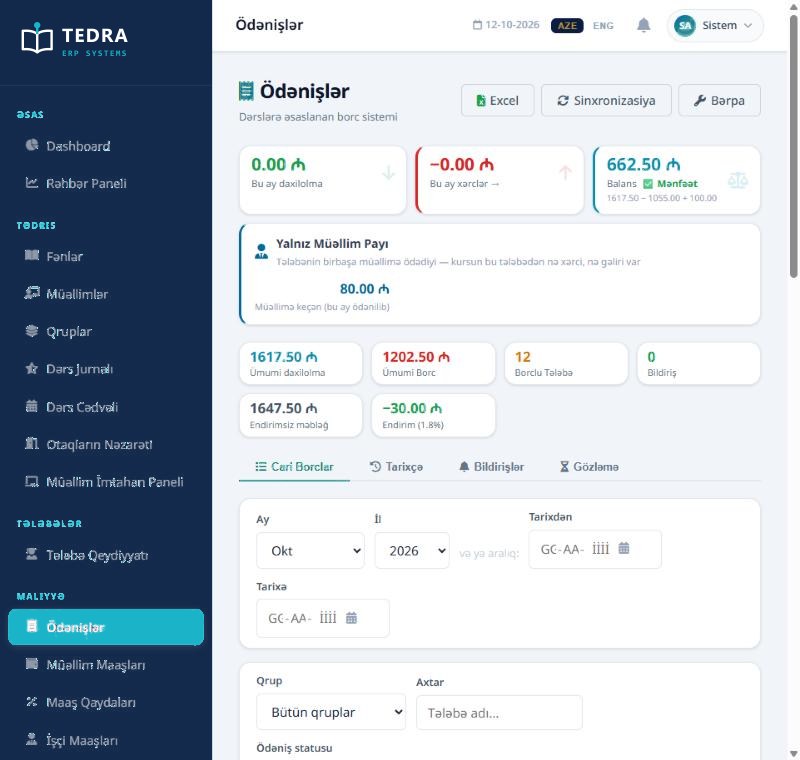
Revenue is half of the picture. TEDRA takes expenses, discounts and financial support into account and shows the real balance.
Revenue − expenses + support = balanceTEDRA ERP for education centers, an overview of the product: comparison, screens, the owner and student views.
Most education centers pick one of three ways. The difference shows in the result.
| Criterion | TEDRA ERP | Excel + paper | General-purpose ERP |
|---|---|---|---|
| Azerbaijani-language interface and reports | Yes | You build it yourself | Often missing |
| Debt recorded automatically when attendance is confirmed | Automatic | Calculated by hand | Requires custom setup |
| Teacher salary based on lessons held | Automatic | A separate sheet | Usually missing |
| Parent communication and notifications (CRM side) | Included | Individual phone calls | Limited |
| Multiple branches and separate reports per branch | Included | Separate files | Available |
| Time to go live | 1 business day | — | Weeks, sometimes months |
| Support language and accessibility | Azerbaijani · direct team | — | In a foreign language · ticket system |
All taken from TEDRA’s live demo environment (the interface is shown in Azerbaijani).
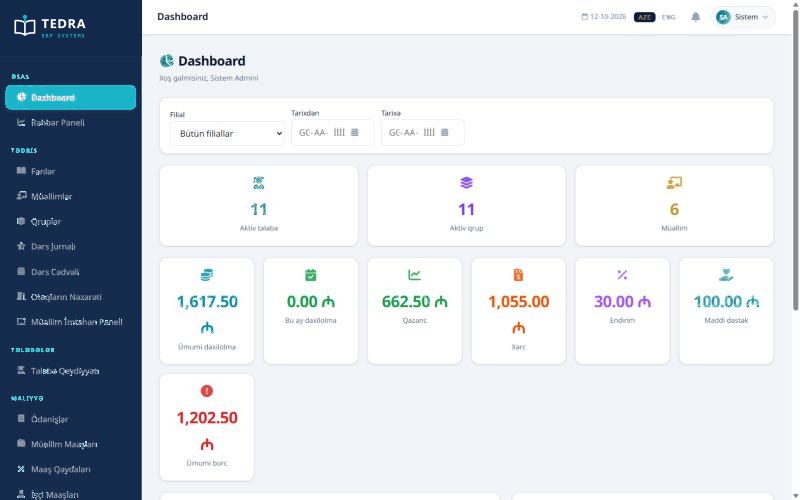
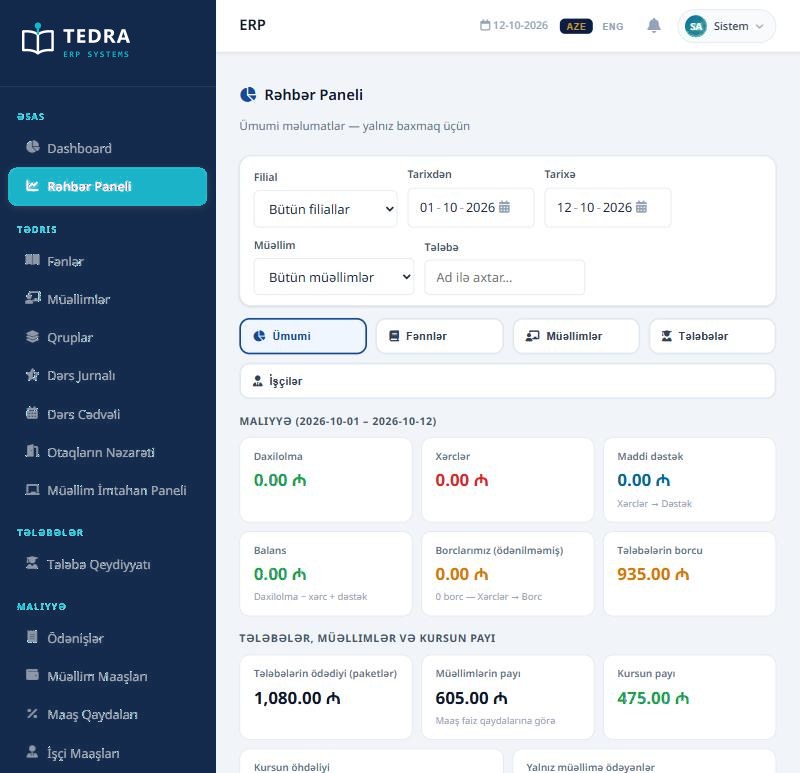
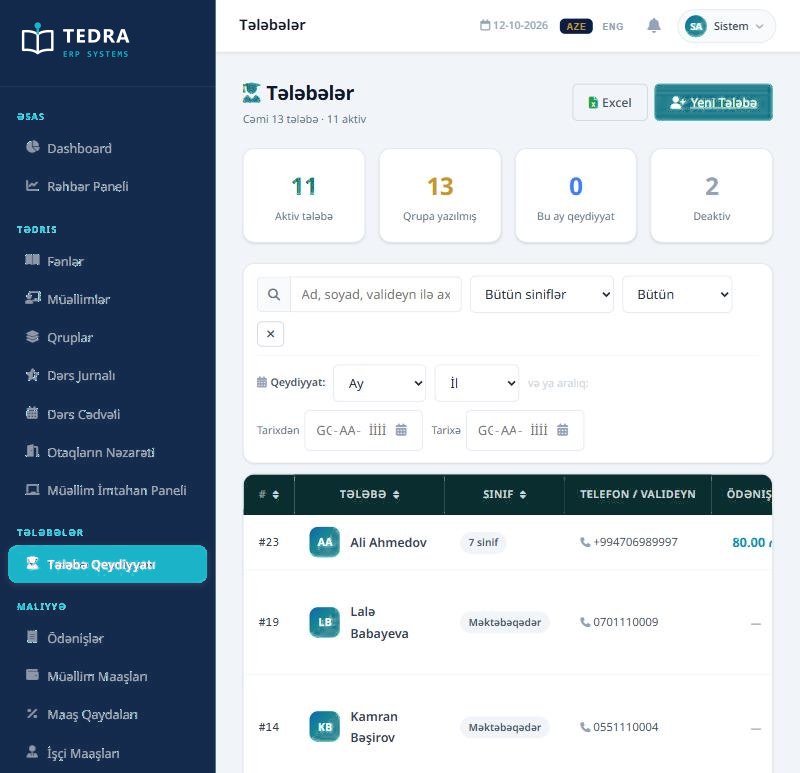
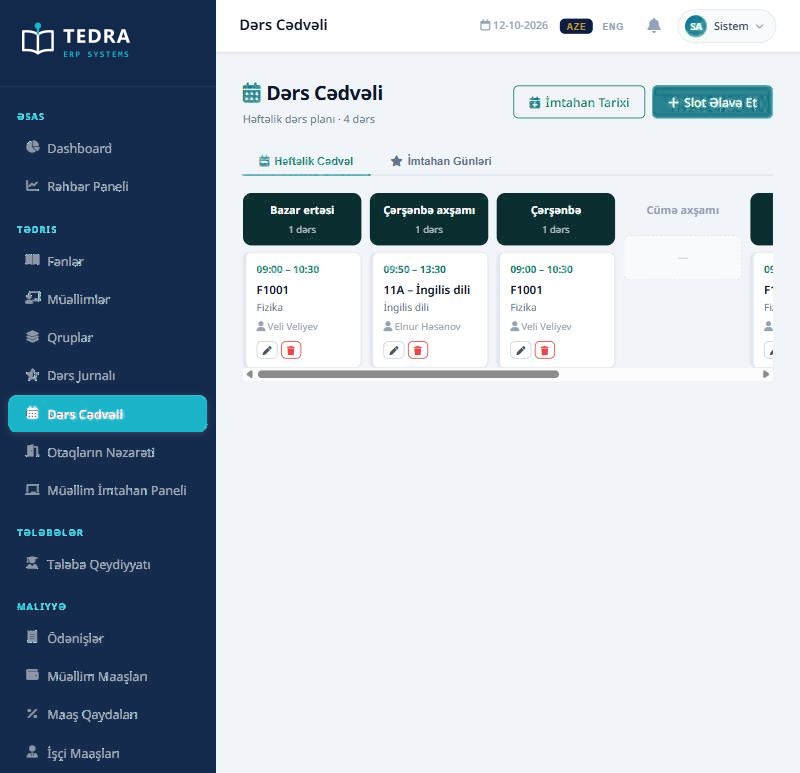
Not the number of students — profit, the teacher’s share and the difference between branches. TEDRA meets these questions with a ready answer every day.
Revenue is half of the picture. TEDRA takes expenses, discounts and financial support into account and shows the real balance.
Revenue − expenses + support = balanceHow much of each payment goes to the teacher and how much stays with the center — split automatically according to the salary rules.
Teacher’s share 605 ₼ · center’s share 475 ₼How much each branch brings in — choose the branch and date range, and all numbers update accordingly.
Filter by branch and date rangeSubject, teacher, group and student — revenue and share breakdown opens in one click at every level.
Subject → teacher → group → studentFrozen students are not counted in revenue but are shown separately — the full picture does not disappear.
Not counted, shown separatelyDebt matters, but it is not alone. How many students, how much, how many days overdue — in one row.
1,202.50 ₼ · 12 students with debtThe moment the teacher confirms attendance — the debt is recorded, the parent is notified, the report updates.
You do nothing. The chain works by itself.Attendance, payment status, grades and the next lesson. When a parent calls, the answer is found in one click. Pick a student on the left.
Late payments and student loss are a center’s two main revenue losses. The loyalty program affects both directly.
The center itself decides the rewards and their probabilities.
Every spin ends with a reward — there is no “you lost” sector.
This is a demonstration. In the real system the result is determined on the server and the balance of every reward is tracked.We demonstrate the system with your own data. Our team contacts you within 24 hours.